A view from the Ferris Wheel at Exton Square Mall Spring Carnival
I finally got time to stitch these panoramic together, and I am actually surprised at how well it came out, considering that it was hand-held in a moving Ferris Wheel!
It has been several months since I have had a chance to sit down and pull a collection of images to submit to Panoramio for Google Earth.
So this morning, while I was drinking my coffee, I slowly went back through my catalog of images, and pulled together a series of 22 images that I thought would be a good selection for submission, including late Fall, Winter and Spring images from:
If you care to see what I have selected, as well as my other images that have been accepted, they can be found on my Panoramio (Google Earth) account.
As always, please feel free to add comments!
– Andrew
§ § § § §
[adrotate banner=”1″]
Update on Panoramio submissions
6/6/2011 – Wow! The folks that monitor submission seem to be working overtime!
Normally, or at least from my past experience, it usually takes 3-5 days for any news on images being accepted, but by late Sunday night, ALL 22 of my images have been approved! (I now have 135 images on Google Earth!)
This concludes the third and final installment of Covered Bridges of South Eastern Pennsylvania.
I would like to thank the folks at Destinations Travel Magazine, especially Darlene Perrone for taking the time and effort to include my photography work in this wonderful publication!
Looking into the future, it is my hope, that this summer, I will get the time to further find and explore the Covered Bridges in Lancaster County, as well as those in Delaware and Maryland!
Thanks again for all the support that I have received and I look forward to bring you more images of these wonderful Covered Bridges!
In January, this was my last scene of the day, because I had started further downstream.
What made this shoot easier, was the temperature, which was totally opposite. Today, it is in the low 90s with high humidity!
After doing a series of HDR exposures, I called Logan and we started upstream. This was new territory for the both of us.
As we walked up the stream, one could look by the sides and see debris that had washed down through the months. It wasn’t that bad, but it was still sunny to see three beach balls sitting on the side of the stream.
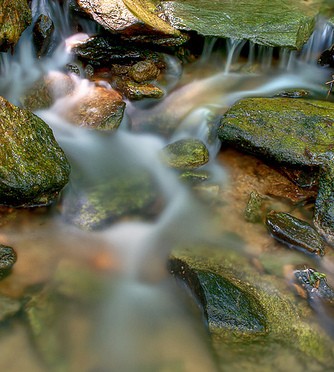
Norwood Road Creek – Water Fall 034
I stopped a few times and set up for some small waterfall shots, which served two purposes.
The most obvious being to capture the scene, the second was to stand in the nice cool water!
We also noticed in the many pools of water filled with small little schools of fish swimming away from us as we continued walking upstream.
Logan made many attempts to crack catch them to little avail.
The creek split several times, and we continued to the left all the way up to the exposed manhole, which stood out from the creek bed a good 6 feet.
As we got closer, Logan very excitedly and insistently asked me to put him on top.
The grin on his face when he finally felt secure enough to stand, was ear to ear.
Looking at my watch, we had about a half hour before Madison got home.
I had Logan jumped from the top of the manhole cover into my arms, giggling on his flight down.
Heading downstream, we veered to the right and ventured into more new territory.
As we walked, I asked Logan if he thought Madison would also enjoy this little creek, and he nodded his head in approval.
We splash your way down the stream and finally found where we had started and headed up the little hill back to our car.
Once we were at home, we unpacked our things minutes before Madison walked in the door.
She was bombarded by Logan with “Sissy! Sissy! Guess where we went!”
Additional Images
As I was processing my images, the waterfall detail, struck me as a potential candidate for some additional post processing work of dropping out the color and turning it into pure black-and-white image:
Norwood Road Creek 034 bw 01a
Here is an additional overview shot of the same scene:
Norwood Road Creek 028 – Waterfall Overview
Thanks again for stopping by, and I hope you enjoyed what you have seen!
Over the past couple of weeks, I have been slowly consolidating Hard Drive space within my home-office network.
Because of my background as an backup administrator, I am especially concerned and focused on having redundant copies of data, just in case.
Murphy would be proud…
With that being said, I looked at my various existing 100GB-250GB internal and external hard drives that were sprawled all over the place, and bought a couple of TB hard drives.
Then the fun part, looking at the life cycle of the house data.
There is current local stuff, the Live Data for the house, and then the Secondary Backup.
Next was writing the various robocopy scripts, and making sure I use /e and /mir correctly…
Several more days of data transfer, I finally think I have ALL the data in a nice consolidated fashion!
For the first time in 5+ years, I have everything on one Hard Drive!
Yeah!
But now, as I now am analyzing the capacity of the Live Data drive, I find myself evaluating the situation.
Is my new Half-Full or Half-Empty?
In my 30 plus years of IT, very rarely, have I heard of a hard drive referred to as Half-Empty.
Seems that the when we talk about technology and storage, we tend to be optimistic!
When was the last time your thumb drive Half-Empty? or that CD/DVD that you just burned… Half-Empty?